
How MyButchery works
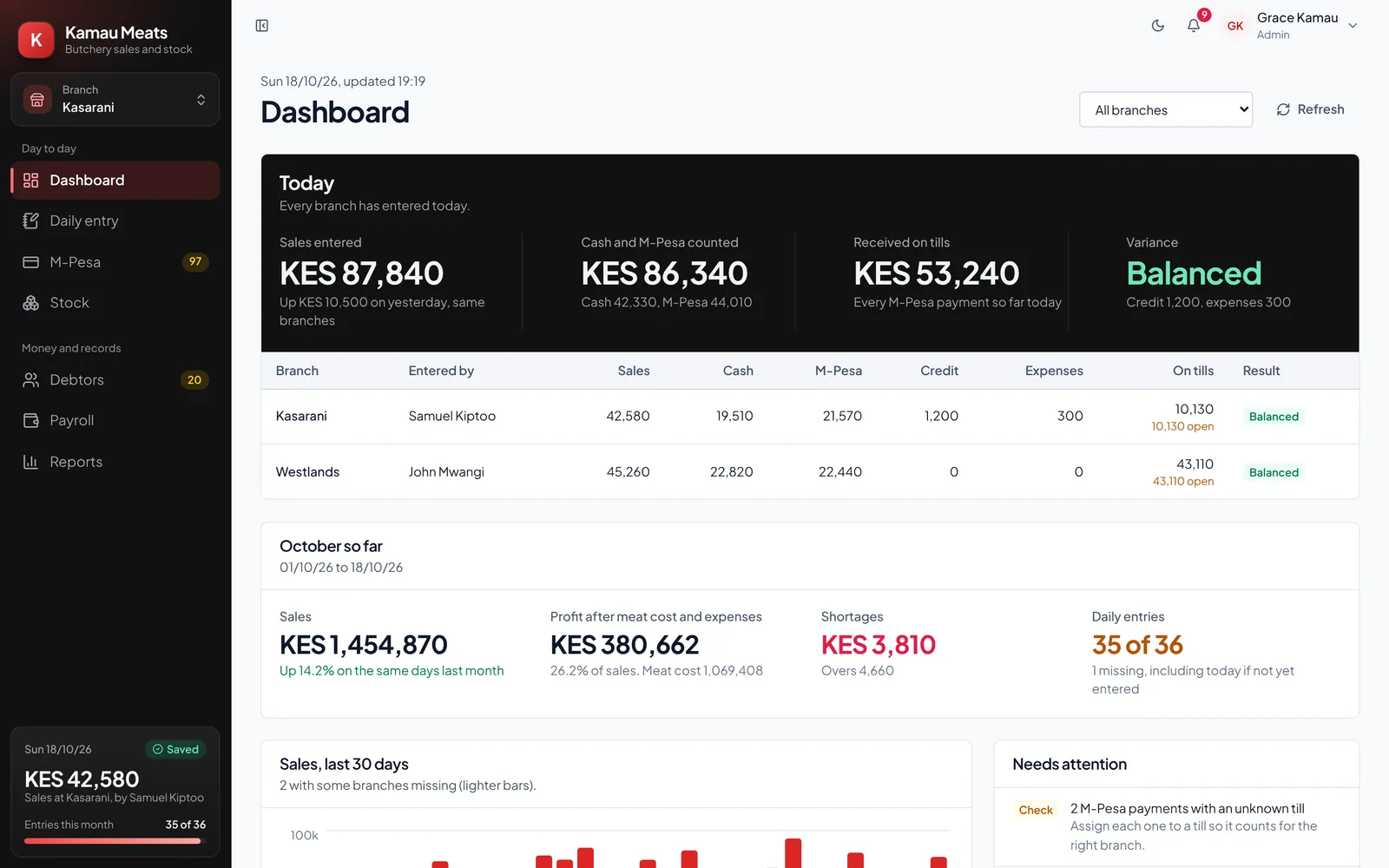
You record stock received and your closing count. M-Pesa payments post automatically. MyButchery reconciles the day and shows any shortage or excess in cash or stock.
Getting started
- Create your account. Your name, your shop's name and a phone number. No card needed.
- Set up branches and products. Add each branch, then the products you sell (beef, goat, mutton, matumbo, chicken) with their selling price per kilo.
- Add your staff. Each person gets their own login and role: owner, manager or staff.
- Connect your M-Pesa till. Optional, and it can be done later. Customers keep paying the same till number.
The trading day
| Stage | You | MyButchery |
|---|---|---|
| Opening | Weigh each delivery and record stock received (kg) and the buying price. | Carries forward yesterday's closing stock as opening stock. |
| Trading hours | Serve customers as usual. Record credit sales and expenses as they happen. | Posts every M-Pesa payment to your till within seconds, against the right branch. |
| Closing | Weigh closing stock and count the cash in the drawer. | Calculates kilos sold, expected takings, and any shortage or excess in cash or stock. |
Credit sales and debtors
Record the customer, their phone number and the amount on credit. Repayments, in full or in part, by cash or M-Pesa, come off their balance. The debtors list shows who owes you, how much and since when.
Payroll
Advances paid during the month, and any shortages you decide to charge to staff, are deducted from salary on payday, with a payslip for each person.
More than one shop
Each branch keeps its own stock, takings, tills and staff. Select a branch to see that shop only, or all branches for the consolidated view. Managers see only the branch they run.
Questions
Is MyButchery hard to learn?
No. If you can send M-Pesa on your phone, you can use it. Staff only see the daily entry for their branch, so there is very little to learn.
Do I need a computer?
No. It works in the browser on any smartphone, tablet or computer, and you can add it to your phone's home screen like an app.
What if the internet goes off while entering the day?
What you have typed is kept on the phone. Save once the connection is back.
Can I try it before paying?
Yes. Every account gets 14 days free with every feature, and no card is needed.